







Describe the cabinet. Cutready makes it ready to cut.

Upload a sketch or type what you need. Cutready builds the cabinet in 3D and makes the cutting list, the quote and the G-code for your machine.

Or start free on Sketch, no credit card.

From the design to panels ready to assemble

Cutready is complete CAD/CAM for cabinets. Let the AI give you a head start, or design every cabinet yourself: the joinery, nesting and G-code are the same either way.

  1. Design it in 3D

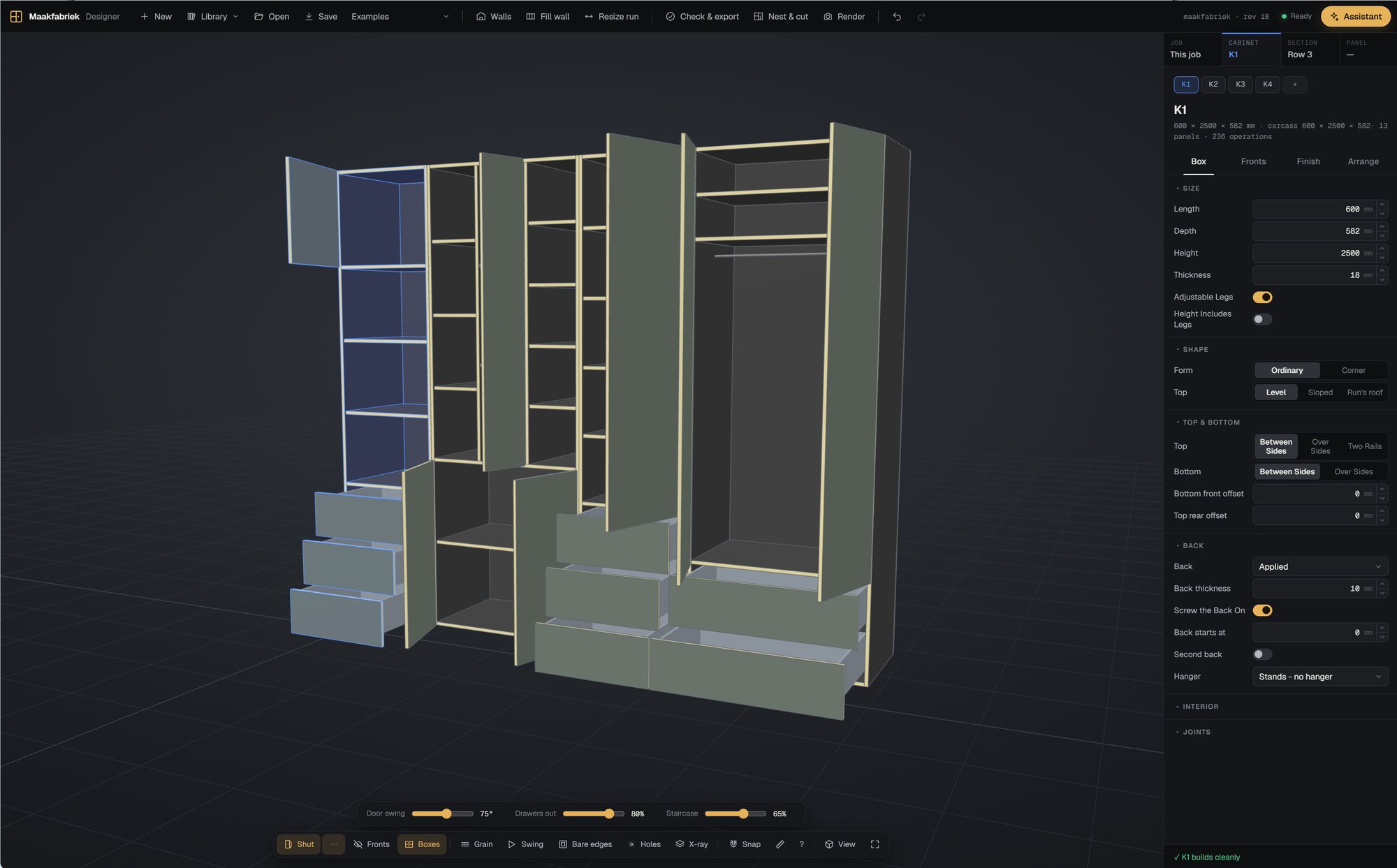
    Set the sizes, the construction, the fronts and the interior: drawers, shelves, kitchen hardware, hanging rods. The model is parametric, so every panel, hole and edge follows each change. Or let the AI assistant start it from a sketch.

  2. Joinery and machining, worked out

    Cutready places every connector (dowels, Domino, Lamello, Cabineo, Fixchip, hinge cups) and machines it into the right panels, with the tolerances of your own workshop.

  3. Nest, cut and quote

    Nest the panels on sheets and offcuts, send the G-code to your CNC and print a label for every panel. The cutting list, assembly instructions and a PDF quote with a render come from the same model.

Cutready on your phone

Measure on site with your Bosch laser: tap a wall, press the laser's button and the reading lands on that wall. Take a photo of the space. Send it to the project, and in the designer the walls are drawn in one click, with the photos beside them.

Work orders

Scan the QR code on a work order or a panel's label: it opens with the part in 3D and the cutting list.

Hours

Your week day by day, per project, released to your manager.

Planning

Where you are scheduled in the coming weeks, per phase, with the route there.

Contacts

Your customers and suppliers, with the route in Google Maps.

Measuring works with the Bosch GLM 50 C laser.

Beautiful quotations

Cutready turns your design into a quotation in your own house style: your logo and colour, renders and drawings of what you will make, and a price in a few clear figures. Your customer gets a link, not an attachment, reads it online, picks another material if you offer one, and approves it on the spot. You know the moment they do.

Quotations are one part of the office. Cutready is a complete ERP for the professional interior builder: stock, contacts, CRM, timesheets, tasks and accounting, on the same project as the design.

What goes to the machine and to assembly

Cutready nests the panels tight on your sheets and offcuts, writes the G-code for your machine, and makes a label for every panel: its name, size and board, a drawing with its holes, the edge banding on the side it belongs and a QR code that leads back to the work order.

Nesting

Tight on full sheets and on the offcuts you have in stock, small parts held with tabs.

G-code

For your machine and controller, set up once on site, with a preview of every operation.

Labels

80 × 50 mm for Zebra printers, with the edge banding and the work order's QR code.

Everything between the design and the machine

Design, joinery, production files, renders and quotes live in one tool, so nothing gets retyped and every number matches.

A cabinet model that follows every change

Carcass construction, fronts with their gaps and hinges, drawers, shelves and interior are all parametric. Change a size, swap a drawer for shelves or add kitchen hardware, and every panel, hole and banded edge follows.

Every connector placed for you

Cutready adds all connectors and machines them into the right panels.

ScrewsDowelsDominoLamelloCabineoFixchip

Cutting lists and assembly instructions

Every panel with size, material and edge banding, plus step-by-step instructions for putting it together.

Postprocessor with G-code preview

Our postprocessor writes G-code for your machine. We support several CNC machines and controllers, each set up once on site. The preview shows how each panel will be machined before you press start.

Panels nested on sheets and offcuts

Cutready lays the panels out on full sheets and on the offcuts you have in stock, holds small parts with tabs, and cuts a panel again on its own when one went wrong.

A label on every panel

Print a label for each panel straight from the cut list: its name, its size and a drawing with the holes and banded edges, so everyone assembling the cabinet knows which part it is and where it goes. Works with Zebra label printers. Included in the Studio and Factory plans, with a work order for each job.

Professional renders of the result

A rendering engine draws the cabinet with exact dimensions and materials. AI then adds lighting and atmosphere for a picture you can put in front of a client.

Quotes from your own prices

Keep your board materials, edge banding and hardware in one place, with the prices you pay. Cutready calculates material and labour for each project and turns it into a PDF quotation.

A head start from a sketch or a sentence

Upload a hand sketch or describe the cabinet in plain words, and the assistant sets it up in the designer, ready to refine. Ask it for help while you work; if it cannot solve your problem, our team takes over. Included from the Studio plan.

Programs for your CNC

Cutready writes the program your machine's controller reads: G-code for a nesting router, or a program for each panel on a boring machine or a machine with pods and rails. Every machine is set up once, on site.

  • OpenCNC
  • SCM
  • Biesse
  • Masterwood
  • Fanuc
  • Syntec
  • MASSO

Another make or controller? Ask us, and tell us its make and controller. Brand names and logos belong to their owners; Cutready is not affiliated with these manufacturers.

Made at Maakfabriek in Budel

Cutready was built at Maakfabriek, a cabinet shop in Budel in the Netherlands that designs and cuts its own cabinets with it every day. Every feature has been through our saw and router before it reaches you.

  • JoineryConnector positions tested on assembled cabinets as well as on screen.
  • G-codeMachine output that runs on a production CNC router every week.
  • QuotesPricing that has gone out to customers and turned into orders.
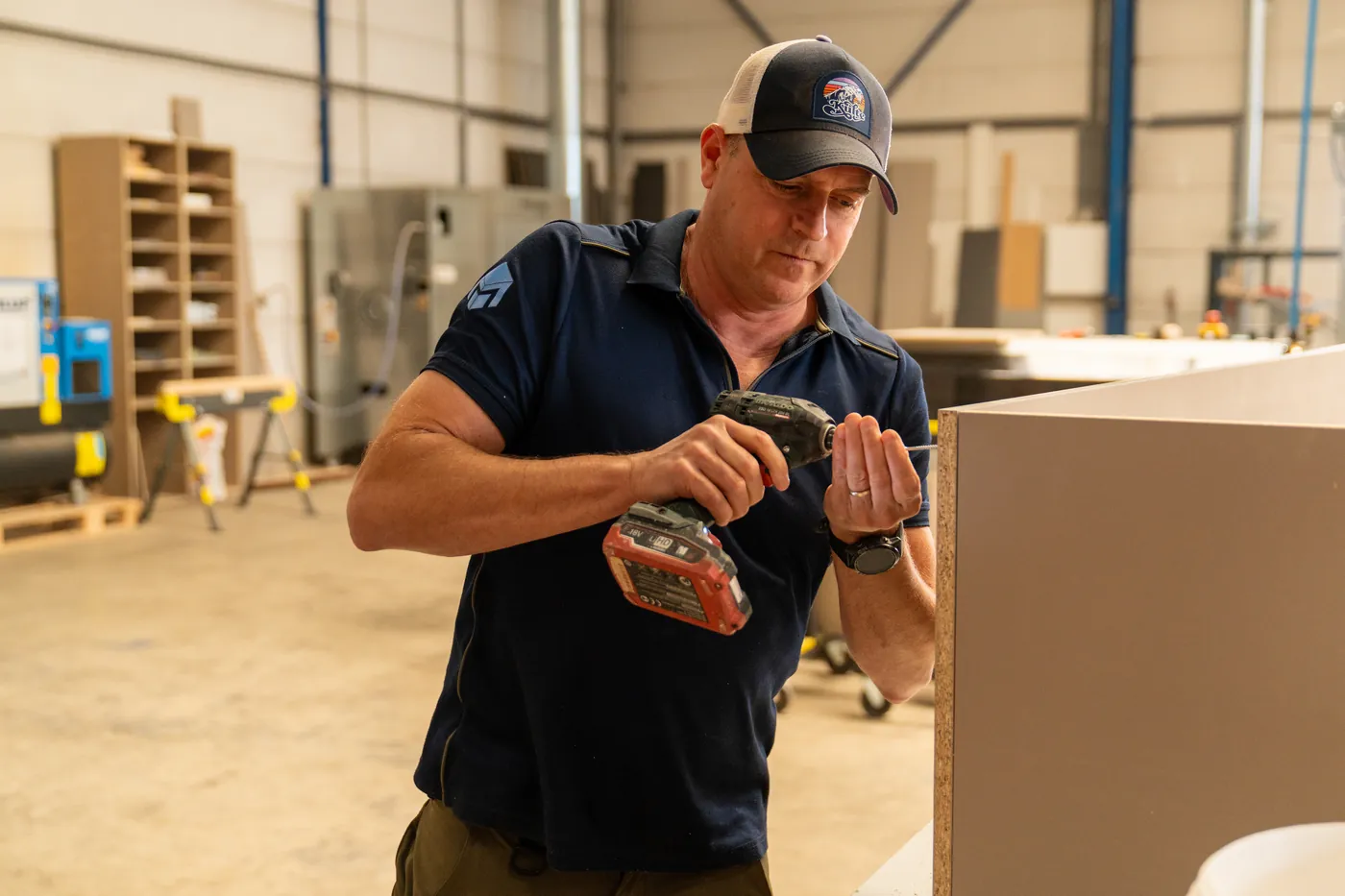
Harm de Laat assembling a cabinet with a cordless drill in the Maakfabriek workshop
Harm de Laat in the Maakfabriek workshop.
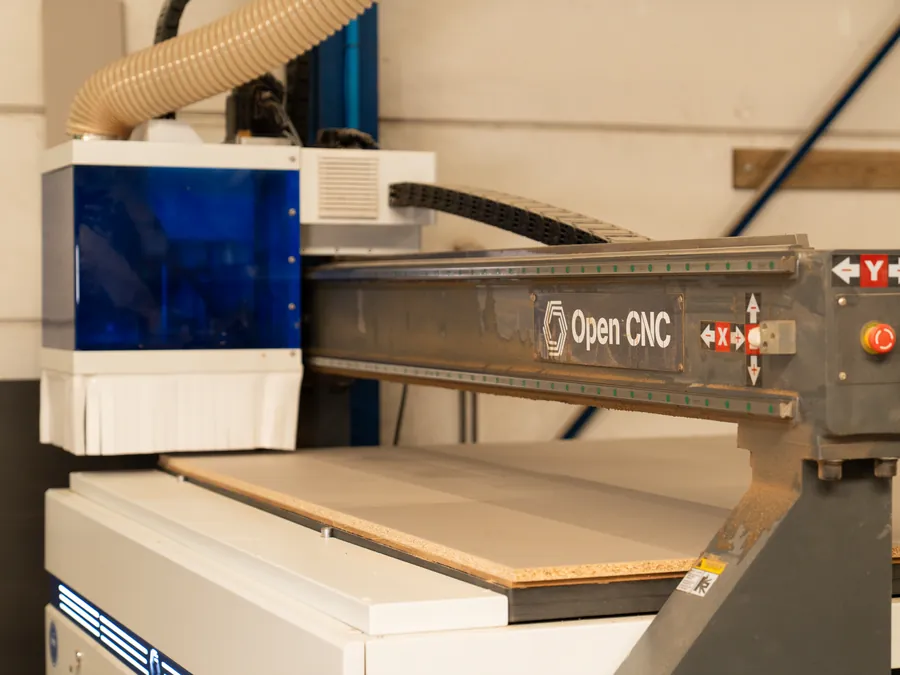
The CNC router in the workshop, its gantry over a sheet of board
The CNC router.
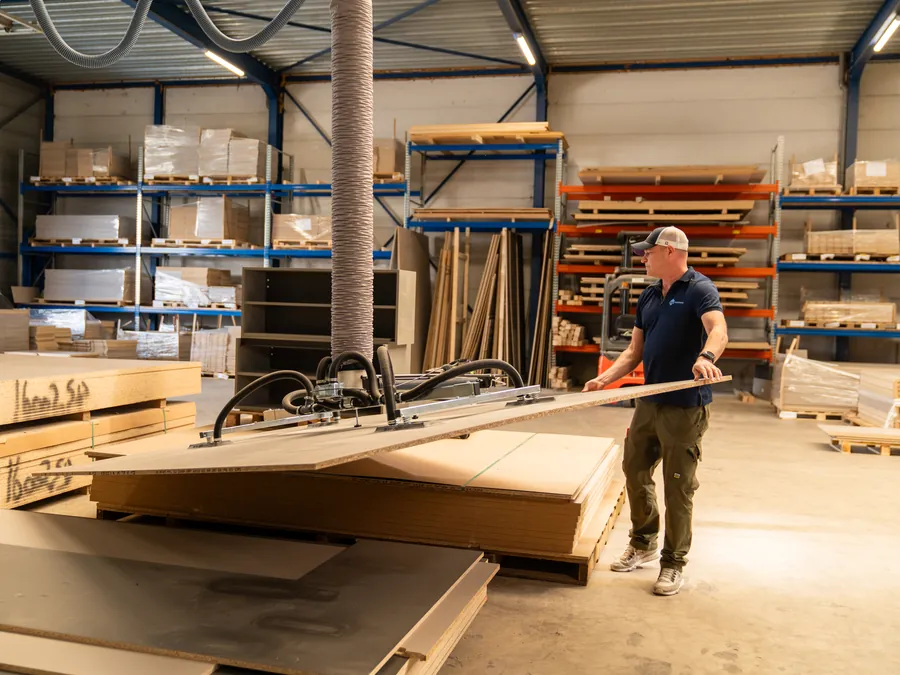
Harm moving a sheet of board with the vacuum lifter, racks of board behind
Moving sheets with the vacuum lifter.
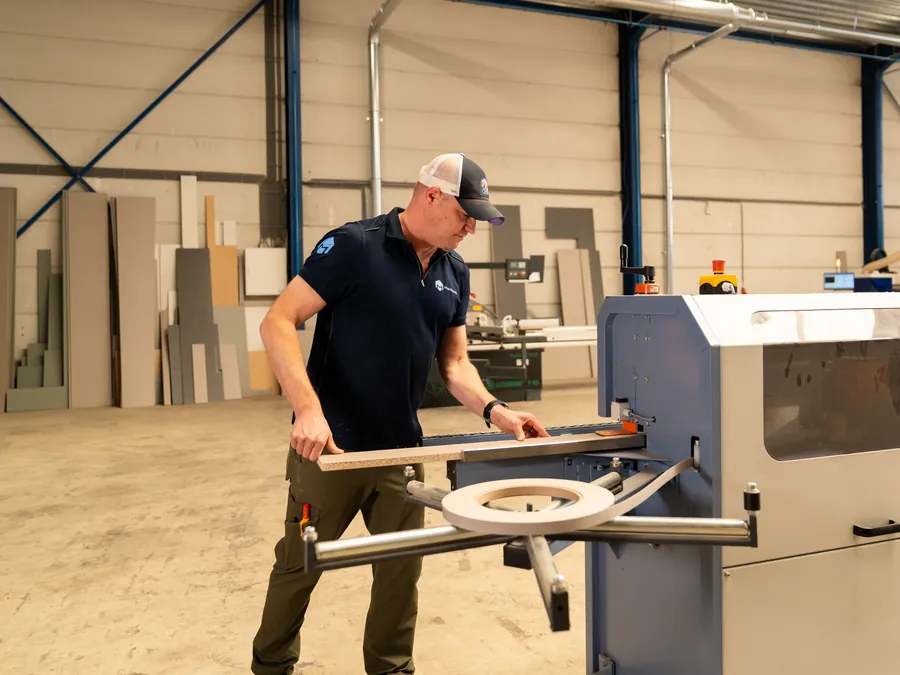
Harm at the edge bander, feeding a panel along its guide
At the edge bander.
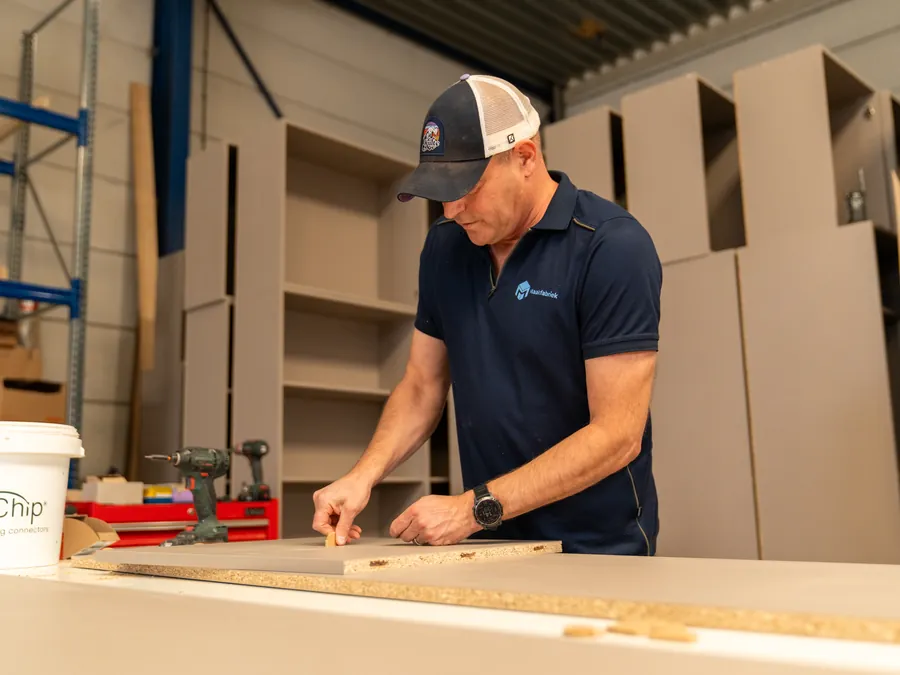
Harm fitting FixChip connectors into a panel on the bench
Assembling with FixChip connectors.

Delivered by Maakfabriek

Cabinets and fitted furniture from our workshop, in the homes and shops they were made for.

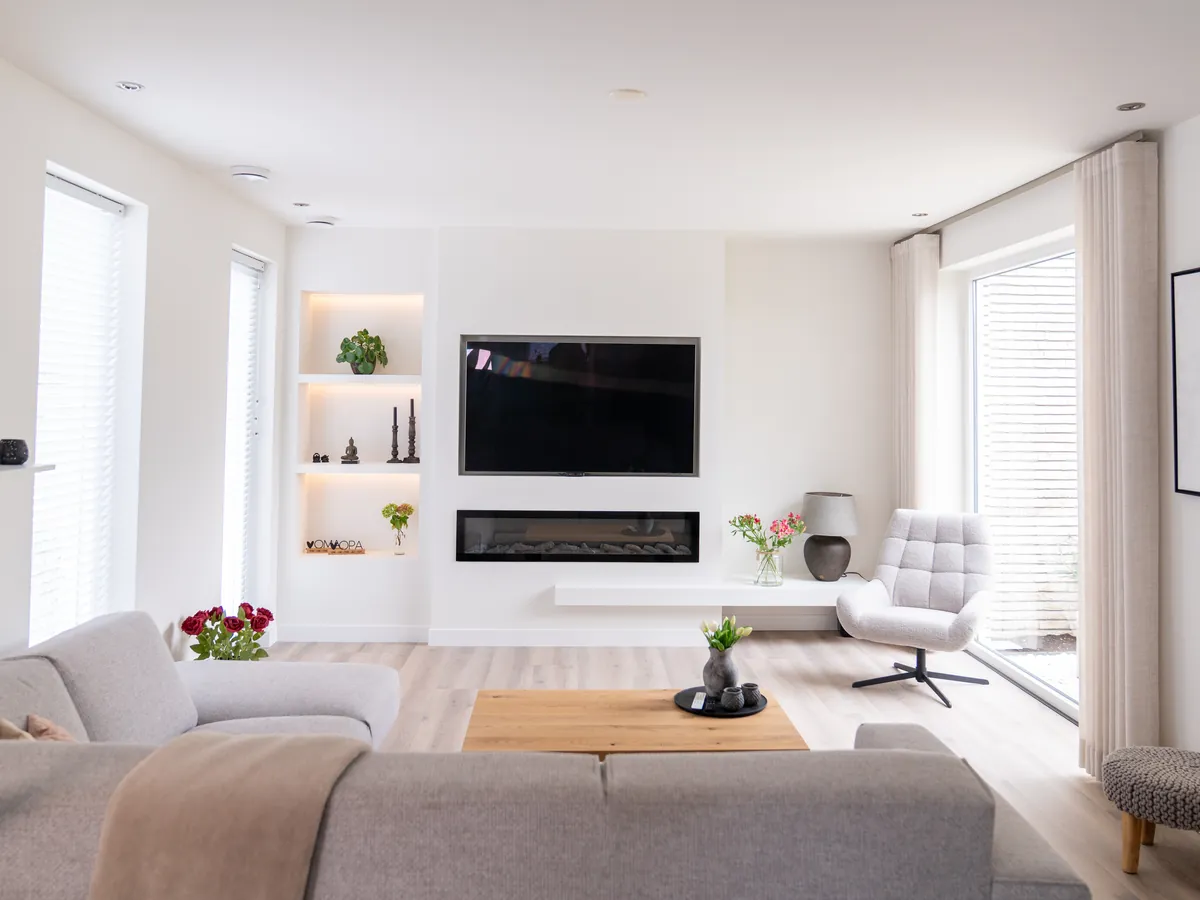
A living room with a white TV wall: a fireplace under the TV, lit niches beside it and a floating shelf
TV wall with fireplace and lit niches
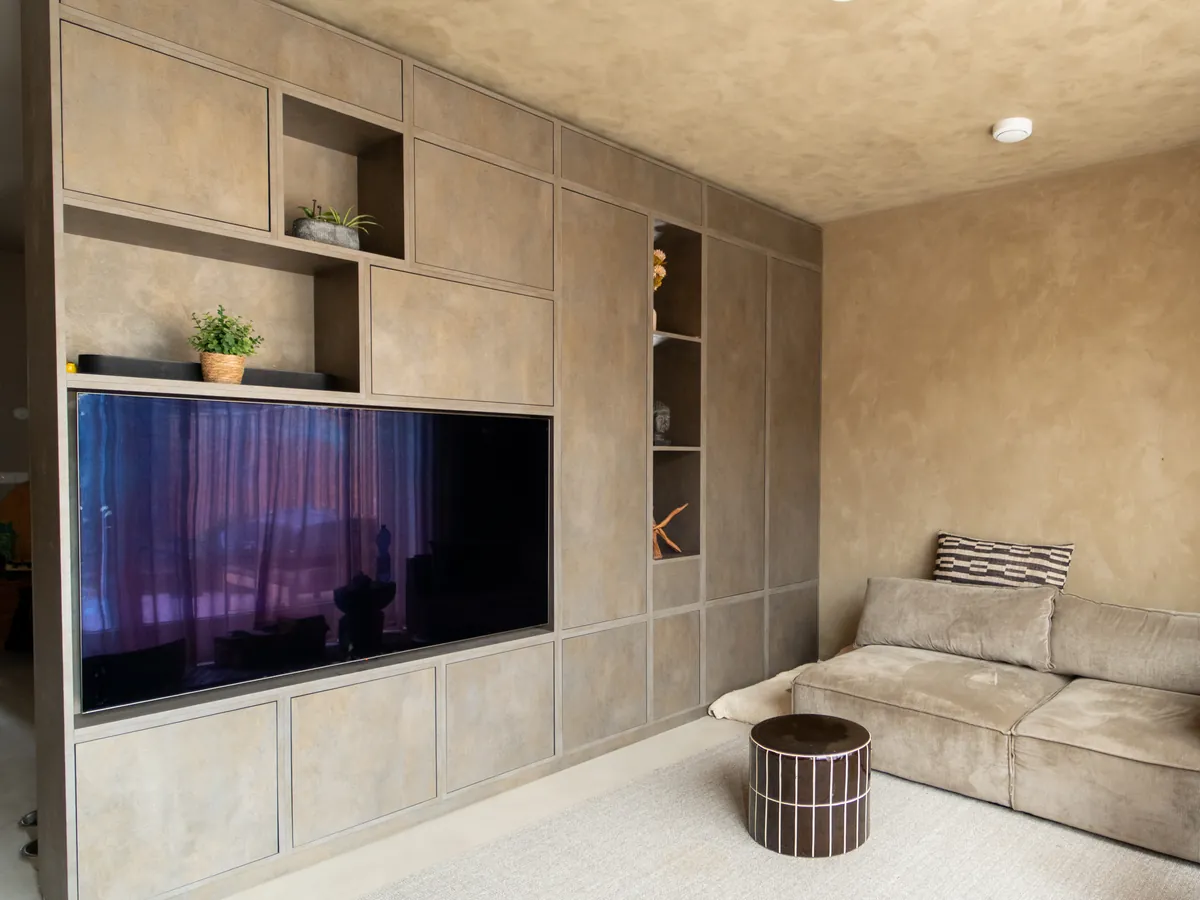
A wall of cabinets with a concrete-look finish round the TV, with open niches
Cabinet wall in a concrete-look finish
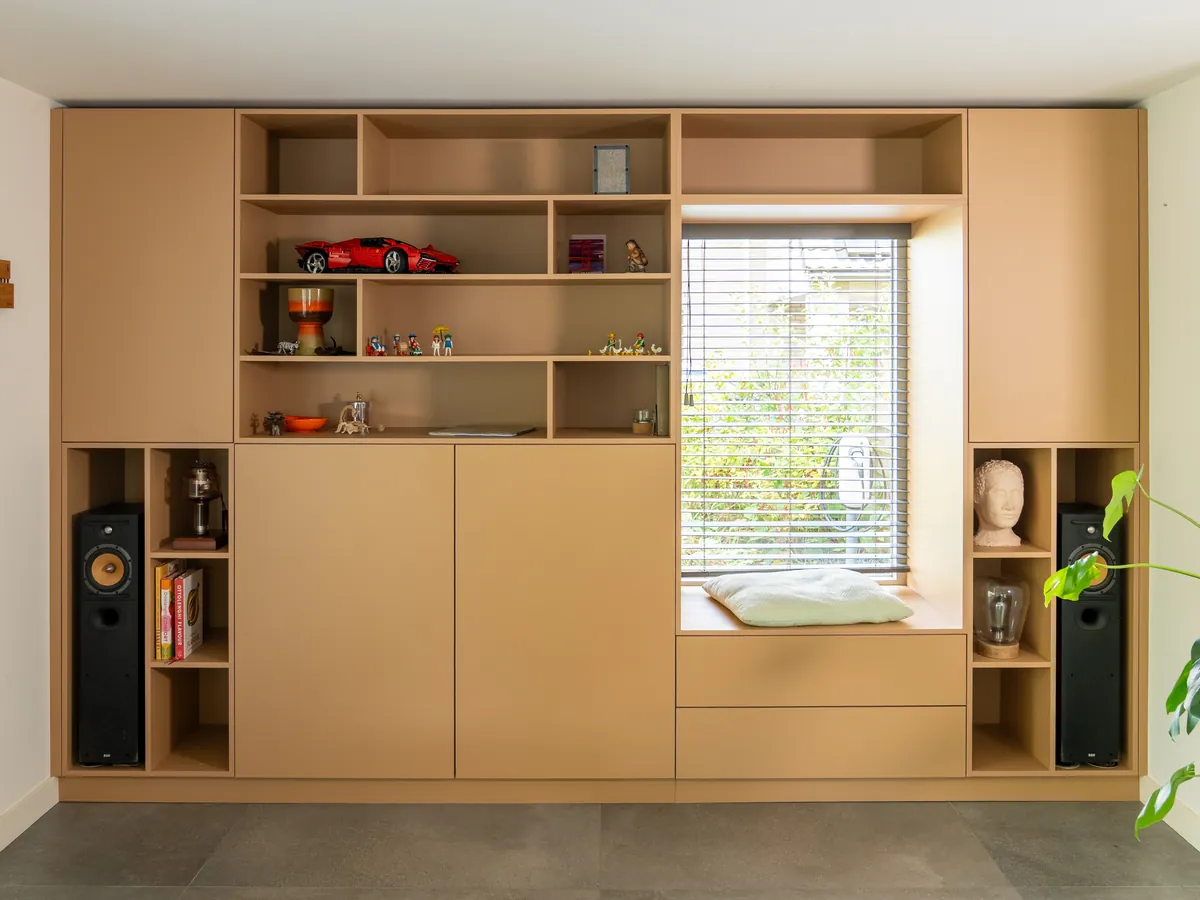
A bookcase in light oak colour round a window, with a seat in the window and speakers in their own compartments
Bookcase with a window seat
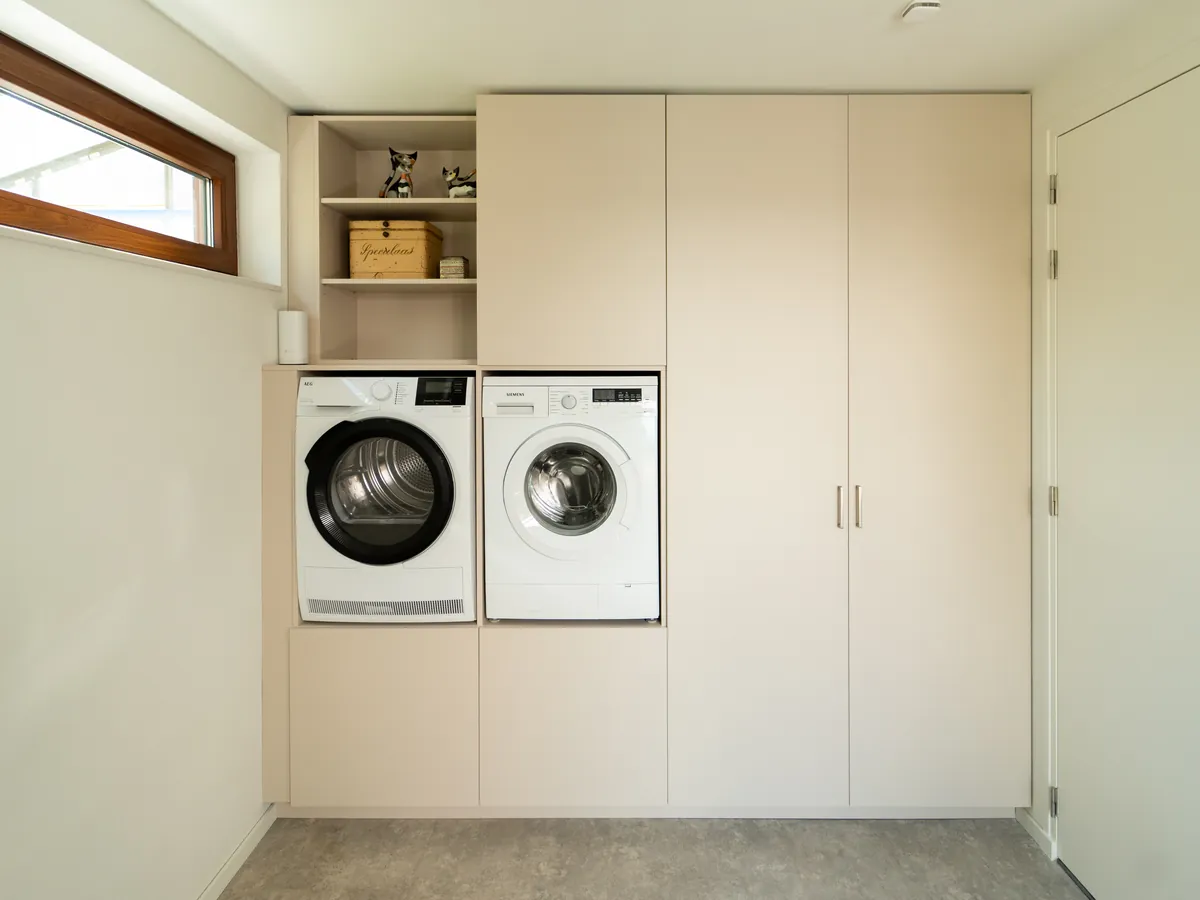
A utility room: washer and dryer at working height between tall cupboards, with open shelves above
Utility room, washer and dryer at working height
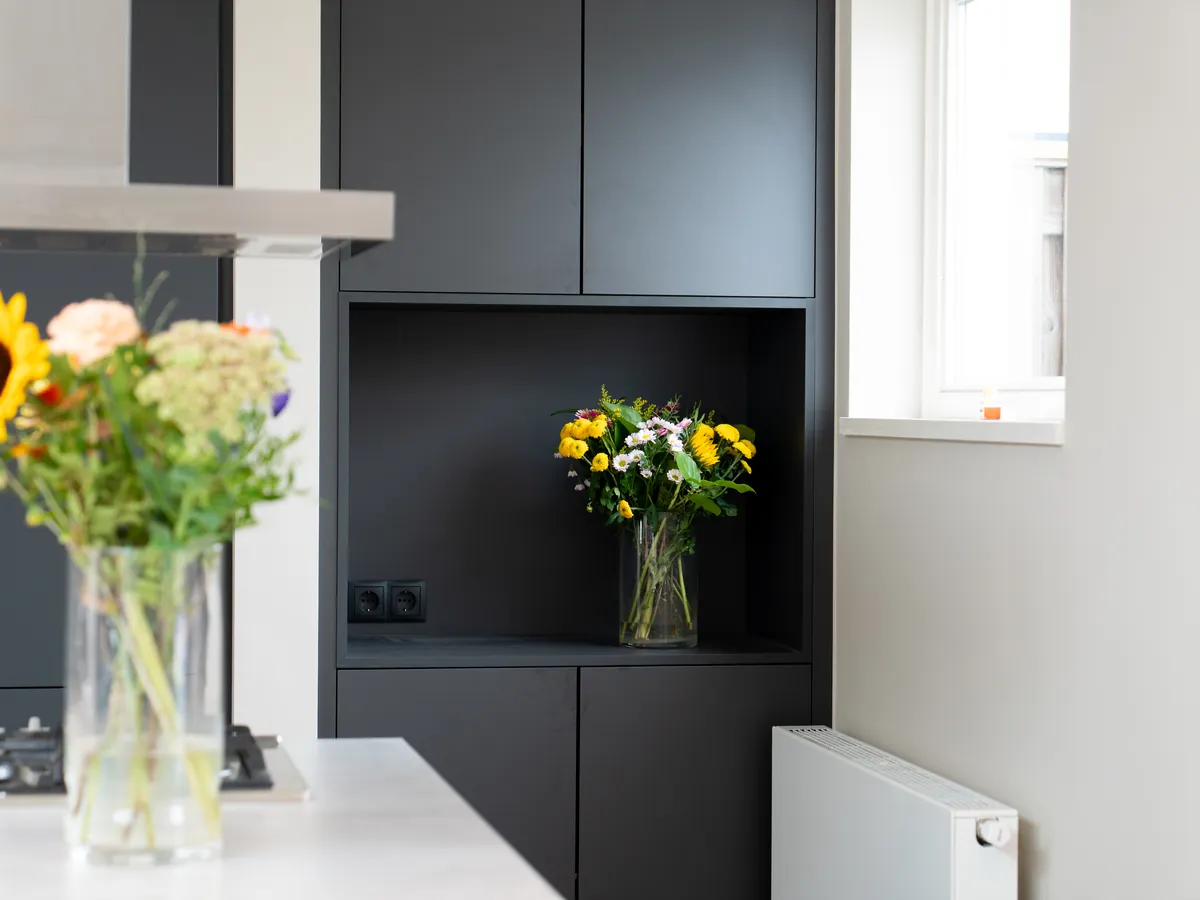
Black kitchen tall units with a lit open niche, flowers on the worktop
Black kitchen units with a lit niche
Curved mirror frames over a curved walnut counter in a hair salon
Mirrors and a curved counter for a hair salon
New · in Solo, Studio and Factory

Your office, beside your designs

From the first enquiry to the last invoice: Cutready now runs the office too. Contacts, opportunities, quotations, hours, planning, stock and the books belong to the same project as the design, so nothing gets retyped.

Contacts

Customers and suppliers in one place

Companies and their people, with their projects, quotations and opportunities alongside. Import them in one go from Odoo or Excel.

CRM

Opportunities on a board

Every enquiry as a card on a board of your own stages, with its value, chance, next step and a log of every contact. A quotation you send puts itself on the board and keeps its value up to date.

Sales

Quotations and their replies

Quotations from your designs or written freely, sent as a link. Your customer picks options and accepts, and you see when they looked.

Accounting

Invoices, purchases and a real ledger

Invoices and instalments from your projects, purchase bills per project, double-entry books that always balance, and the VAT return ready each quarter.

Timesheets

Hours on the project

Everyone writes their hours per week on projects and activities; a manager approves them, and you see them beside the hours the quotation counted.

Planning

Who does what, when

Each project's phases on a calendar and per person, a Gantt per project, and a won opportunity that asks to be planned.

Stock

What is on the shelf, and where

The materials database is in every plan; Studio counts it. Boards, edge banding, hardware and worktops per place in your workshop, taken out of stock when a job is released, and below the minimum a notice, a draft order or an order sent to your supplier by itself.

Design for free, pay when you sell and cut

Sketch
€0 / month

Free forever

Design and try it for free. Quotes, the office and your CNC come with Solo.

  • 3D cabinet designer without limits
  • All connectors, from screws to Fixchip
  • Cutting lists and assembly instructions
  • Materials database
  • AI assistant: design from a sketch or description, on AI credits

Start free
Studio · For the team
€109 / month

Billed yearly at €1,308

For workshops that work together, up to five people.

  • Everything in Solo
  • Up to 5 users, as many projects as you like
  • Support: a person to ask, from inside the tool (best effort)
  • Walls from an architect's IFC model
  • A configurator for your own website
Choose Studio
Factory · Made to measure
On request

A price for your company

For larger companies, and for those who make for other workshops.

  • Everything in Studio
  • As many users as you need
  • Making orders for other workshops, as a production partner
  • Agreements on support, setup and training
Ask us

Your CNC: + €1,600 one-off setup, on site: we fit the postprocessor to your machine and controller, on Solo and Studio alike. Ask for it under Account; until it is done you have everything but nesting and the G-code.

Prices exclude VAT.

How AI credits work

The AI assistant is in every plan, Sketch included. It runs on AI credits: you buy a pack under Account, and every answer uses what it really cost - a quick question a few credits, a design built from a photo of a drawing some more. You only pay for what you use.

  • No subscription, and credits never expire
  • A question or a change to your design: usually 5 to 20 credits
  • A design built from a photo of a drawing: about 30 credits
  • At most 2,000 credits a day, so a conversation can never run away with your credits
  • Without credits the assistant does not answer; Ask a person still reaches our team

What an answer uses follows the AI provider's prices; the figures above are what answers have cost so far, as an indication.

1,000 credits€20€0.020 per credit
5,000 credits€90€0.018 per credit
20,000 credits€270€0.0135 per credit

Prices exclude VAT. 1,000 credits is roughly 100 questions or changes.

Cutready compared

All four design cabinets in 3D and drive a CNC. The difference is in how you start, what you pay and how much comes with it.

TopicCutreadyPalette CADKORPUS (VLECAD)SmartCabinet
PricePublic and fixed: a free Sketch plan, Solo €59 and Studio €139 a month (€49 and €109 billed yearly). Start today, on your own.On request, with a free live demoBuy or rent, on a tailored proposalOn request
Works in the browserYes, on any computer, nothing to installNoNoNo
AI: a cabinet from a sketch or a descriptionYes, the AI assistant builds it in 3D with every jointNoNoNo
Accompanying mobile appYes: measure on site with a laser, scan a work order, write your hoursNoNoNo
3D cabinet designYesYesYesYes
Renders for your customerYes, with your exact sizes and materialsYesYesYes
NestingBuilt inNot mentionedWith the separate AutoFIT moduleNot mentioned
Programs for your CNCIncluded from Solo: OpenCNC, ISO/Fanuc (MASSO, Syntec, Weihong), SCM Xilog and Biesse bSuiteWith the extra Palette CAM moduleYes, set up per machineYes
Panel labelsIncluded, with a QR code to the digital work orderNot mentionedWith the extra NestingLabelControl module (€1,200)Not mentioned
Assembly instructions per cabinetYesNot mentionedNot mentionedNot mentioned
Office: quotes, customers, invoices, planning, stockBuilt inNot mentionedThrough links with other systemsYes
A configurator for your websiteYes (Studio)Not mentionedThrough a link with an outside configuratorNot mentioned
Outsourcing to other workshopsYes, with a work order per job (Factory)Not mentionedNot mentionedNot mentioned

Compared on what the vendors themselves publish, November 2026. "Not mentioned" means we did not find it in what the vendor publishes, not that it is missing. Something not right? Let us know and we will correct it. Palette CAD, KORPUS and SmartCabinet are trademarks of their owners.

Want AI in your own production?

Cutready came out of a workshop. I help other makers find where AI saves time in their process, from quote to cut, and then build it with them.

Harm de LaatHarm de LaatMaakfabriek and Cutready

Ask about a Discovery

Discovery
A fixed-price review of your processes, with a written plan of where AI helps and what it takes.
Implementation
A follow-on project to build and roll out what the Discovery found.

Common questions

Is Cutready an AI tool?

No. Cutready is a professional CAD/CAM tool for cabinets: you design in a parametric 3D model, and Cutready works out the joinery, the machining, the nesting and the G-code. The AI assistant is an extra, in every plan on AI credits: it can start a design from a sketch or a description and help while you work. You can do everything without it.

How good does my sketch need to be?

A clear hand sketch with the main dimensions is enough. The AI builds the cabinet from it, and you can correct any dimension or detail afterwards.

Which CNC machines does the postprocessor support?

Several. Cutready writes the program for your machine's controller: every OpenCNC machine, such as the TX-35, controllers that read ISO / Fanuc G-code, such as MASSO, Syntec, Weihong and Fanuc, SCM machines on Xilog Maestro and the SCM Startech boring machine, and Biesse machines on bSuite, with a program for each panel. Masterwood machines that read DXF are in preparation. Every machine needs a one-off setup on site first (EUR 1,600, on Solo and Studio): we fit the postprocessor to your machine and controller and check the first programs with you. A machine that is not on this list? Ask us, and tell us its make and controller.

Do I need CAD or CAM experience?

No. You work with cabinet terms like width, doors, drawers and shelves, or you simply describe what you want. Cutready handles the drawing and the toolpaths.

Are the renders accurate?

Yes. The render starts from a rendering engine that uses the exact dimensions and materials of your design. AI only improves the look afterwards.

Which plans include the AI assistant?

The AI assistant is in every plan. It runs on AI credits: you buy a pack under Account, and each answer uses what it costs - no subscription, and credits never expire. Without credits the assistant does not answer; Ask a person still reaches us.

What if the AI assistant can't help me?

Then a person from our team picks up your question.

Can I switch plans or cancel?

Yes. You can move between plans, and you can always fall back to the free Sketch plan. Going up takes effect straight away (you pay the difference for the rest of the period); going down or cancelling at the end of the period you paid for. See the terms.

Rather talk it through?

A question about Cutready, a machine that is not on the list, or a Discovery for your own workshop? Mail or call us.

The Maakfabriek logo in oak on a slatted wall
Ask a questionWrite to the helpdesk Emailinfo@maakfabriek.nl Phone+31 6 1442 8821